
A direct box—also referred to as a “DI,” which is short for “direct input” or “direct inject”—is an indispensable audio tool equally at home in the studio and on stage. There are a number of different kinds of DIs, but all have the same basic job: to convert the relatively weak, high impedance signal from instruments with magnetic pickups (such as a guitar or bass) to a low impedance, balanced mic-level input signal compatible with a mixing console. To get good results with a DI, it’s important to look at what your input signal is and what you’re connecting to.
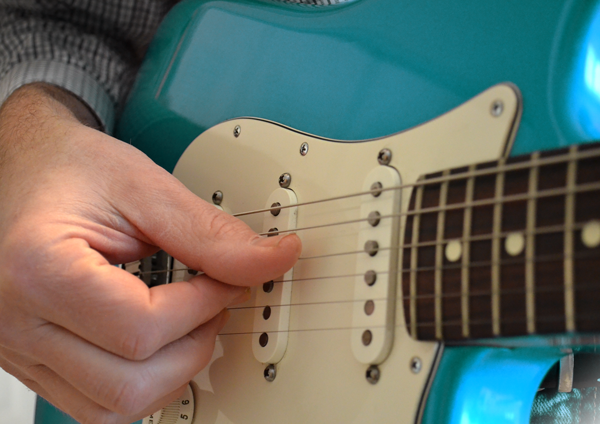
The passive magnetic pickups on a typical electric guitar produce a weak signal that is not compatible with the line-level input of a mixing console.
All Connectors Are Not Created Equal
Although the connectors and cables from your typical guitar rig look like they should be compatible with the 1/4″ line-level inputs on a mixing console, they’re not. A standard guitar or bass output is a two-conductor signal (positive and ground) that uses tip-sleeve (TS) connectors, while a line-level input on a mixing console is most commonly a balanced, three-conductor signal (positive, negative, and ground) that uses tip-ring-sleeve (TRS) connectors. (For more detail on this, see our What’s the Difference Between Balanced and Unbalanced? post.)
There’s a second issue that makes the signal from a pickup on an instrument incompatible with most line level inputs: impedance mismatch. A typical passive guitar pickup has a high impedance (resistance to the electrical signal flow) while a typical line-level input on a mixing console has a low impedance. Plugging your instrument directly into a console’s line-level input jack usually results in a low-level, wimpy signal. That’s where the direct box comes in.
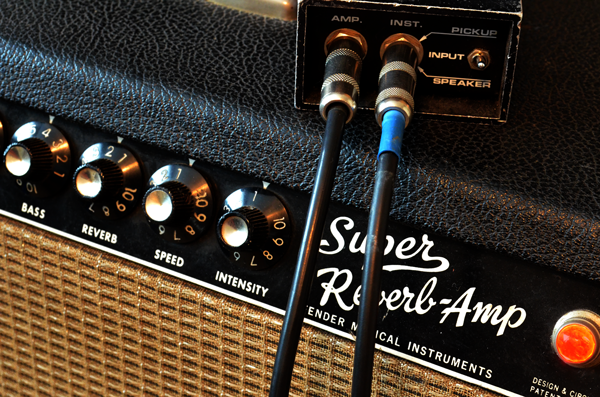
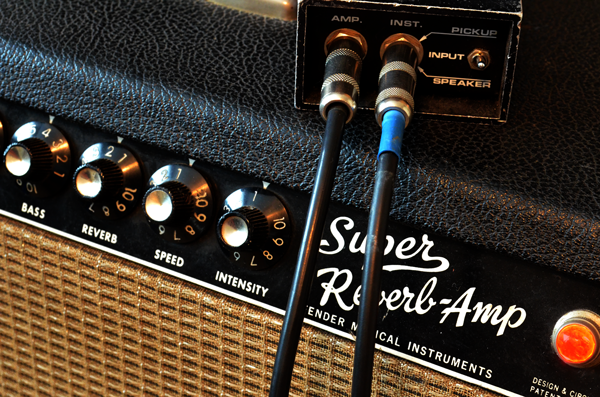
In this picture the output from a guitar is connected to the instrument-level input on a direct box. The Thru connection, marked ‘amp’ on this model, allows the guitar signal to be connected to a vintage amp while the raw guitar signal is simultaneously sent to a mixing console or recording device via the XLR mic output on the DI box’s rear panel.
The direct box is designed to translate between the two worlds; it converts the instrument-level signal into something the console can use easily—a mic-level signal. As a bonus, the direct box changes the source signal from unbalanced to balanced, allowing longer cable runs that are much less prone to noise and RF interference. The most common I/O connections on a DI box are unbalanced ¼-inch TS jacks for the input and a male XLR for the output; many direct box designs also provide a thru jack that allows the source signal to be connected to another device, usually an amplifier.
In this picture the output from a guitar is connected to the instrument-level input on a direct box. The Thru connection, marked ‘amp’ on this model, allows the guitar signal to be connected to a vintage amp while the raw guitar signal is simultaneously sent to a mixing console or recording device via the XLR mic output on the DI box’s rear panel.
Passive and Active Designs
Direct boxes come in two basic types—passive and active. A passive DI uses an internal transformer and requires no power source for it to work. Just plug the instrument into the input of the direct box and a mic cable into the output; the mic cable then connects to the mixer’s XLR mic preamp inputs.
An active direct box, as its name implies, has circuitry inside that requires a power source. That power can come from an internal battery or from a phantom power source (typically 48V) provided by the mixing console that is delivered over the same XLR mic cable used to connect the DI to the mic input. Which type of direct box you choose is a matter of personal preference, but as you’d expect, everything that you put in a signal chain has some impact on the resulting sound.
Direct Boxes In Action
So how do you set up a direct box? Let’s look at a few common scenarios.
Guitar
Guitar players love their amps, and it’s really hard for them to get past having an amp on stage. Getting that tone into the PA has largely been a job for a mic—just shove your favorite dynamic mic up against the speaker grille and go. But consider some of the specialty direct boxes out there designed specifically for use with electric guitar. There are designs from companies like Radial, ADA, and Hughes & Ketner that are intended to capture the signal coming from the amp’s output before it goes to its speaker, eliminating the need to mic the amp. This not only simplifies your audio setup, but it also means you can use smaller amps on stage and keep stage volume down. That helps mix things more cleanly at front of house and also cleans up monitoring on stage.
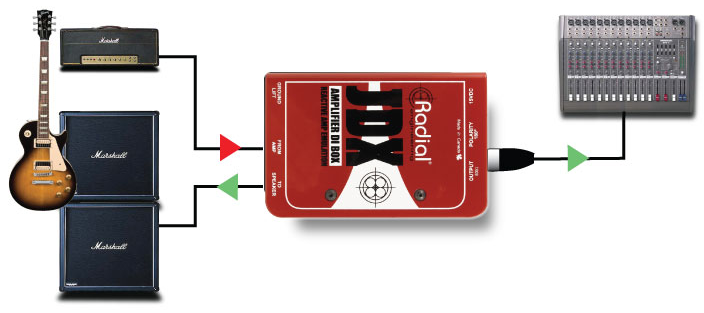
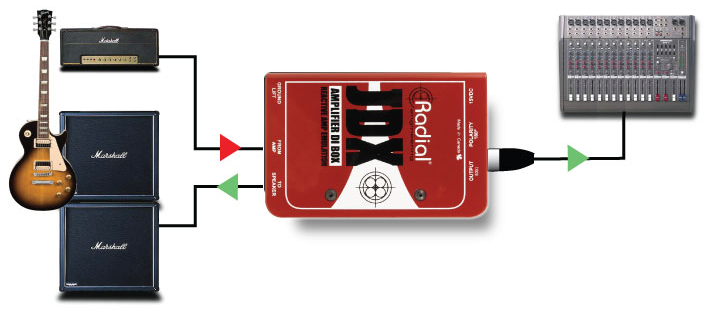
This specialty direct box captures the sound coming from the output of the guitar amp before continuing on to the speakers. The guitar amp sound can be connected to the PA system without using a mic on the amp. [diagram courtesy of Radial Engineering ]
This specialty direct box captures the sound coming from the output of the guitar amp before continuing on to the speakers. The guitar amp sound can be connected to the PA system without using a mic on the amp. [diagram courtesy of Radial Engineering ] In the recording studio, a direct box is a good solution for guitars when you want to get the squeaky clean sound that a direct box offers, but note that you may also want to employ an amplifier to get those other tones since the direct sound of a guitar is much brighter than a guitar player is used to hearing. Recording a clean copy of the guitar signal also makes processing the guitar later—through either a guitar amp (also referred to as “re-amping”) or through a modeled guitar amp DSP simulator within your DAW recording software—a breeze.
Acoustic Instruments
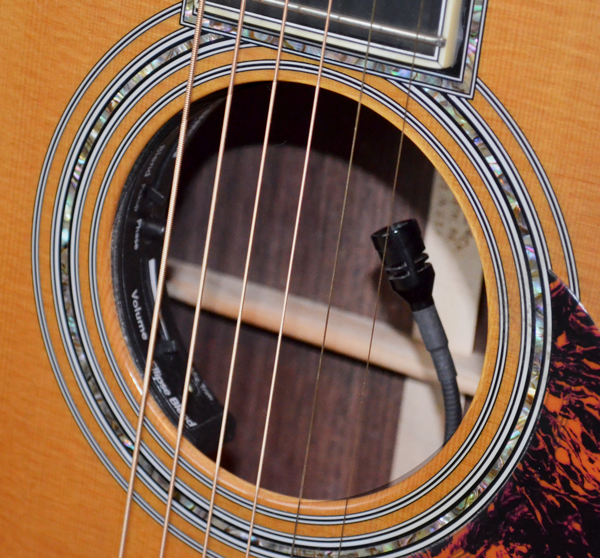
The built-in pickup system on this acoustic guitar allows the performer to blend two different pickup sources (an under-saddle piezo and a mic) that are sent to a single output jack which gets connected to a direct box and the PA.
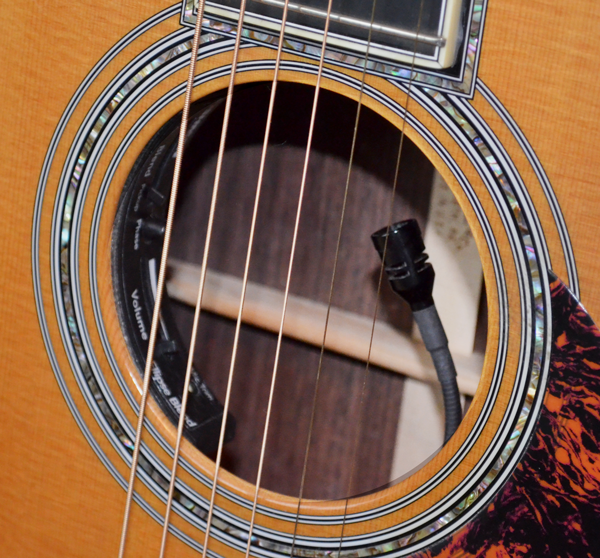
The built-in pickup system on this acoustic guitar allows the performer to blend two different pickup sources (an under-saddle piezo and a mic) that are sent to a single output jack which gets connected to a direct box and the PA.
Using an acoustic instrument such as a guitar or mandolin on stage will almost always require some sort of reinforcement to get the sound level of the instrument up high enough to be able to compete with the other instruments on stage.
To get the most natural sound, you’ll almost always use a connection direct to the PA system rather than to a guitar amp; an amp designed for electric guitars just doesn’t have the frequency response that allows the true tone of an acoustic instrument to shine through uncolored.
A pickup system installed on an acoustic guitar, for instance, can include one or more pickup devices (magnetic, piezo, or microphone) that allow the instrument to be connected to a direct box and then to the PA system.
There are also specialty direct boxes designed specifically for the piezo pickups commonly used in acoustic instrument pickups.
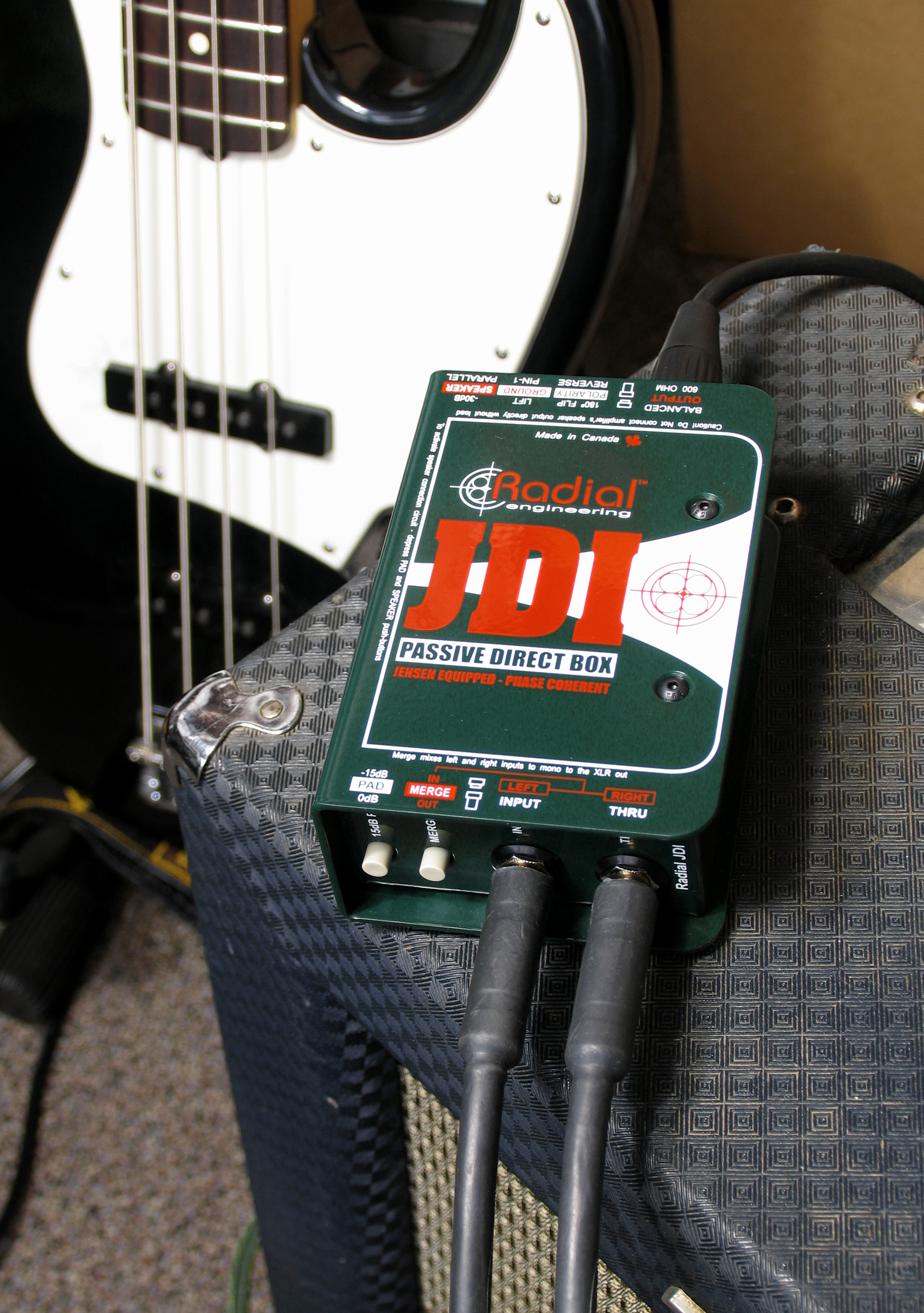
A direct box is a go-to way to get bass into a PA system or recording device.
Electric Bass
In the studio, a direct box has been the go-to solution for recording basses for years, especially if the bass player is performing in the control room. The super-clean signal path works well with compression and EQ from the console.
At the concert level, there’s rarely a live performance where a direct box is not used on the bass. It’s a great way to capture the full fidelity of the instrument and add appropriate processing like compression and EQ while at the same time allowing the bass player to use an amp on stage for feel and monitoring.
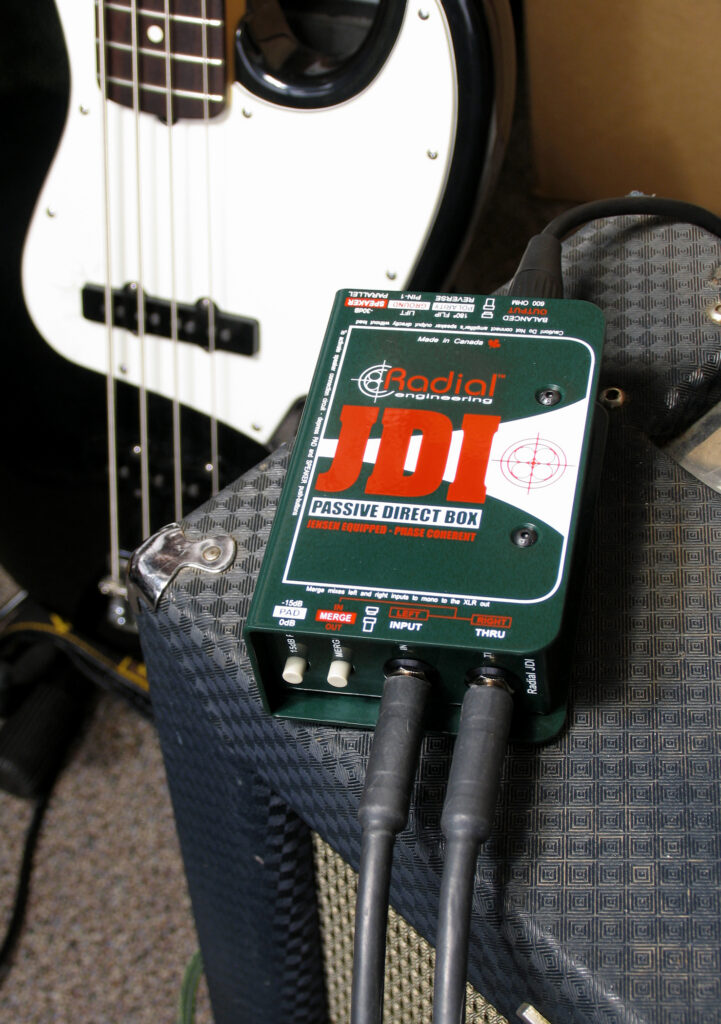
A direct box is a go-to way to get bass into a PA system or recording device.
Another feature common to most direct boxes is a switch that allows the ground connection to be reversed or lifted. You’ll need this feature when connecting an instrument to both an amp and the mixing console if a ground loop between the amp and console causes hum because of differences in the electrical connections.
Keyboards and Synths
The DI is equally at home with the output from keyboards and other electronic devices like drum machines.
Bands that use in-ear monitoring may not need any amps on stage, instead relying on modeling DSP devices and/or direct boxes for the connection to the sound system. If you play a single electronic keyboard or synthesizer, a pair of direct box connections can deliver the full sound of your stereo keyboard to the PA. Just patch the left and right outputs from the keyboard into each direct box’s input. As with a guitar if you want to have an on-stage amp, connect the thru jack from the direct box to a keyboard amp.
If you use multiple keyboards and have a small mixer in your rig, then patching the output of the mixer into the direct box input accomplishes the same thing. You set the blend for all the keyboards and your master keyboard mix goes to the PA system. Of course you can put a DI on each keyboard in your rig, but especially for smaller bands, that may not be the most practical solution. Stereo direct boxes as well as multi-channel solutions are available to help connect your signals to the PA.
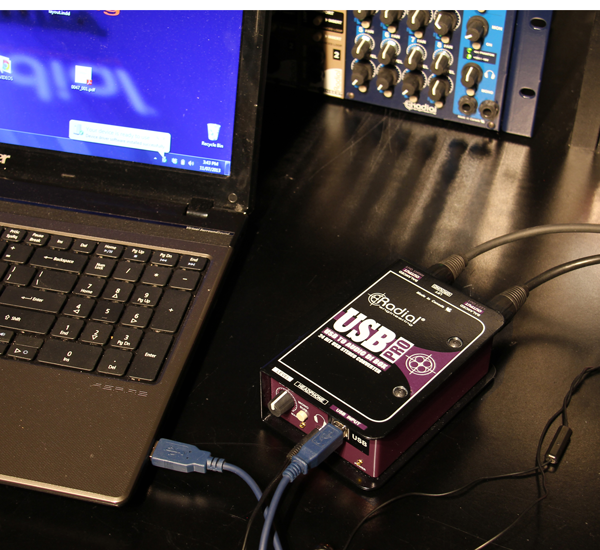
A multi-media direct box can be used to interface a computer to a PA or recording system.
Specialty Direct Boxes
Laptop computers are quite common onstage: drummers use them for loops and click tracks, keyboard players run virtual synth instruments on them, etc. Connecting the output of a laptop to an amp or PA system is always a challenge.

A multi-media direct box can be used to interface a computer to a PA or recording system.
Fortunately there are a number of special purpose direct boxes available that are designed to interface computers and other multimedia devices.