
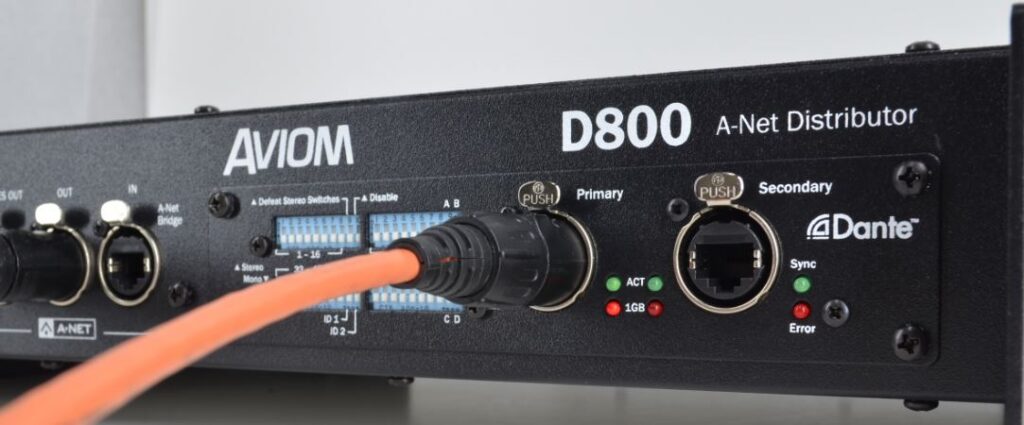
The D800-Dante A-Net Distributor has two types of firmware installed in it: Aviom firmware and Audinate Dante firmware.
Aviom Firmware
The Aviom firmware updates product features and is installed using the D800’s front-panel USB port along with a USB thumb drive. The firmware files and installation instructions are here on the Aviom website: http://www.aviom.com/AviomSupport/Software-Downloads/
Note that the Aviom firmware version number does not appear in any of the Dante info windows when using Dante Controller software.
Audinate Dante Firmware
Each Aviom product that uses the Dante protocol contains Dante circuit boards (called Brooklyn) from Audinate in addition to the Aviom circuitry. Dante firmware is updated and supplied by Audinate, the creators of the Dante protocol. All Dante firmware updates require the free Audinate Dante Controller software tool, which which contains a built-in firmware update tool. All Dante firmware updates are performed using a Mac/PC connected to the Primary Dante port of the Dante interface on the D800-Dante A-Net Distributor.
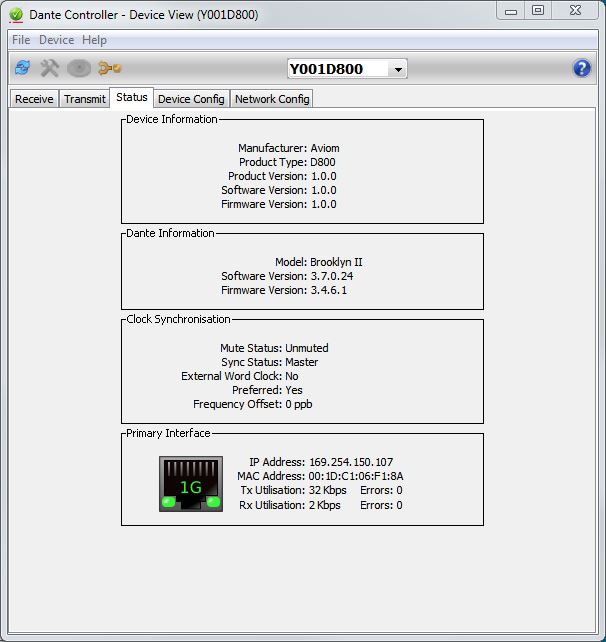
You can check the Dante firmware version of your D800-Dante A-Net Distributor by using the Dante Controller software. Open the Device View for the unit and then click on the Status tab to see the currently installed version of the Dante firmware.
The Dante firmware updates contain device-specific information that the Dante protocol uses to identify Dante-enabled devices. This info is contained within each Dante firmware update that you install and appears in the section marked “Device Information” in the Status tab of the Dante Controller software’s Device View.
Audinate’s firmware information for their circuit board appears in the “Dante Information” section of the Status tab.