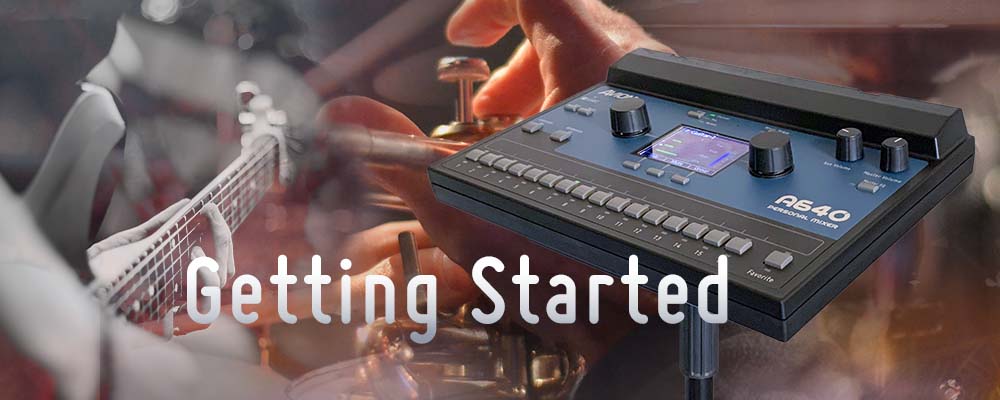
Getting Started with Aviom Personal Mixing
Whether you're building a system for stage or studio, all Aviom personal mixing systems utilize the same building blocks and follow the same basic signal flow. All A-Net digital audio is distributed using standard Cat-5e cables, and all Aviom personal mixing gear can be easily integrated into almost any audio system.
 🔍 Click to enlarge
Audio Distribution Made Easy
In a typical Aviom system, audio for the personal mixers comes from a mixing console, usually a combination of individual channels—such as vocals and individual instruments—plus submixes of multi-channel sources such as drums, string sections, or choirs.
Connect an Aviom input module or console card to your mixing console and route a combination of individual channels (using inserts or direct outs) and submixes to the Aviom system. If you have an analog console, the Aviom input module converts these signals to full bandwidth, uncompressed digital audio.
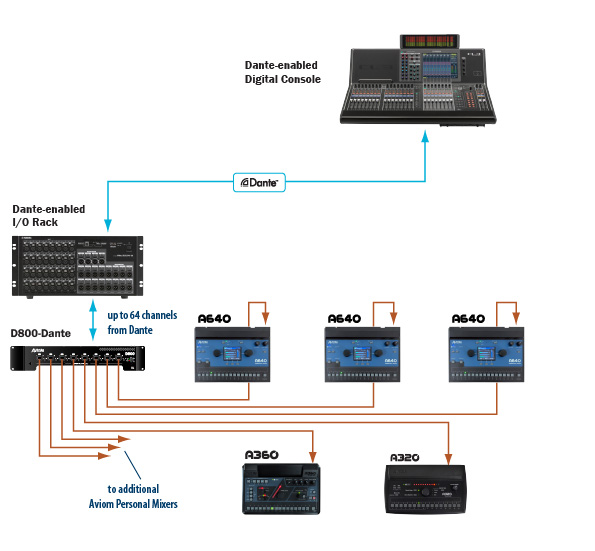
If your mixing console utilizes Dante audio networking, the console can connect to a Dante-enabled A-Net Distributor, eliminating the need for a console card or analog input device.
Customized Mix Control at Your Fingertips
Each A-Net Distributor takes the digital audio signal and provides A-Net data and DC power for up to eight Personal Mixers on standard Cat-5e cables using A-Net®, Aviom's digital audio protocol specially designed to distribute multi-channel audio without any meaningful latency. It's plug-and-play simple.
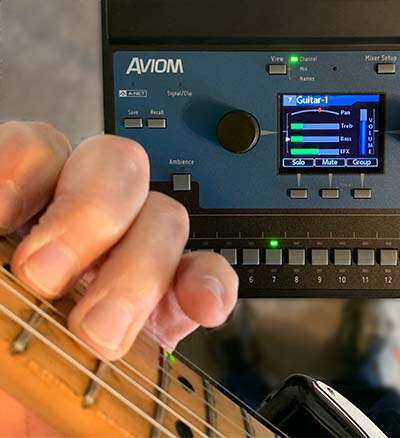
With an Aviom personal mixing system, every musician has the freedom to adjust their monitor or cue mix whenever they want—without affecting anyone else and without depending on an engineer. Want more lead vocal? Less bass? Need to adjust stereo imaging? It's all just a touch away.
How to Build a System
Creating an Aviom personal mixing setup involves three basic stages: getting audio in, distributing data & power, and mixing at the performer level.
Getting Audio Into the System
There are three ways to get audio into an Aviom system: analog, a digital console card, or a Dante network.
An Aviom input module converts analog sources to digital audio over Cat-5e. Console cards route digital audio directly from supported consoles. If your system includes Dante™, you can interface directly using a Dante-enabled A-Net Distributor.
Each input module or console card supports up to 16 input sources, and multiple inputs can be combined for expanded channel counts.
Distributing Audio & Power
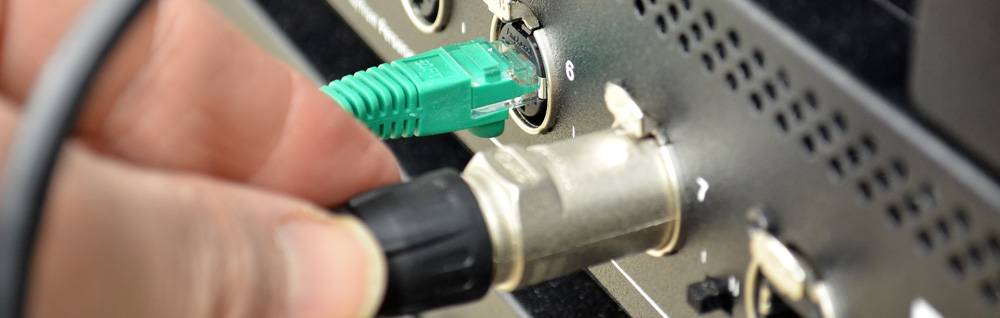
An A-Net Distributor takes A-Net digital audio data from the input source and provides multiple copies for individual personal mixers.
As a bonus, A-Net Distributors deliver DC power to the personal mixers over the same Cat-5e cable used for audio.
Each distributor supports up to eight personal mixers. If you need more users, connect additional distributors—there is no limit to the size of an Aviom network.
Mixing & Getting Audio Out
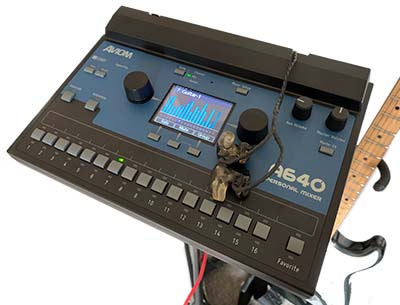
A640, A320, and legacy Aviom personal mixers may be combined in a single system, allowing you to choose the mixer feature set best suited for each performer.
Connect in-ear monitors, headphones, or powered speakers directly to each personal mixer's audio output.
To streamline connections from A640s or A360s to wireless in-ear monitors, utilize the Network Mix Back feature with the D800 or D800-Dante.
Sample Systems
Explore common system architectures for analog consoles, digital consoles, and Dante networks.
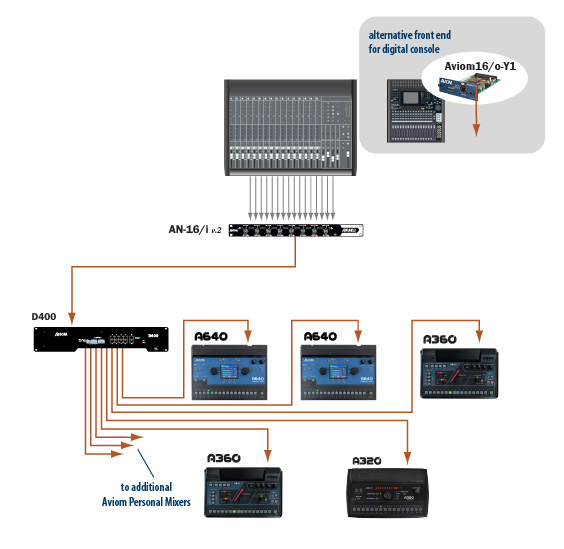
Basic 16-Channel System
Ideal for smaller stages and studios. Connects an Analog Console with one AN-16/i v.2 input module or a Digital Console with one A-Net console card to a D400 or D800 distributor.
 🔍 Click to enlarge
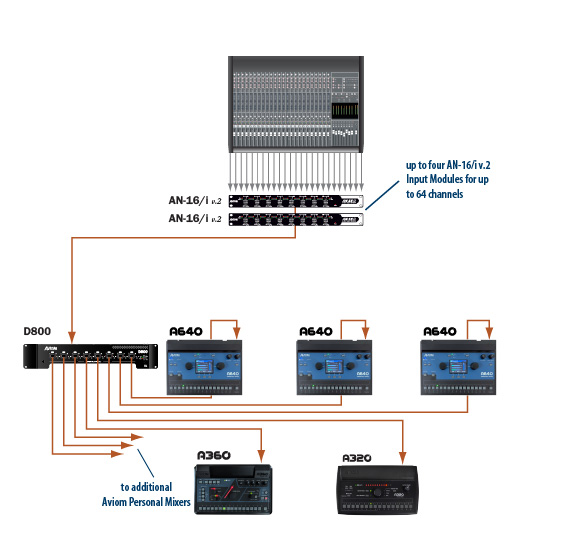
Expanded Channel Analog System
For analog setups requiring more than 16 channels. Uses two or more AN-16/i v.2 input modules combined into a D800 distributor for sending up to 64 channels to A640 or A360 mixers.
 🔍 Click to enlarge
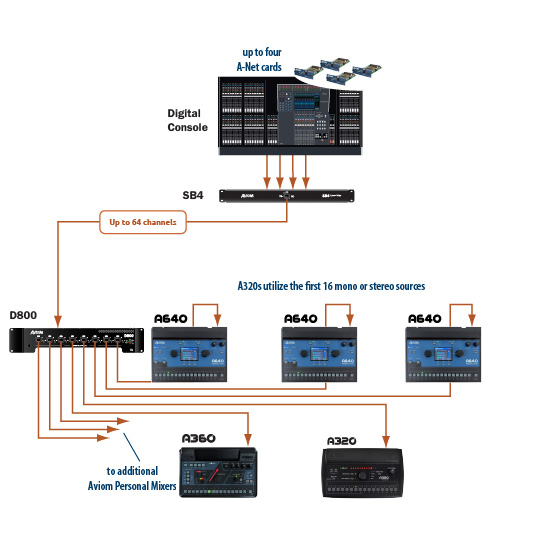
Expanded Channel Digital System
Combines audio from digital consoles using two or more A-Net console cards paired with the SB4 System Bridge to feed up to 64 digital channels to the D800 distributor.
 🔍 Click to enlarge
Dante Network System
Routes up to 64 input sources directly from a Dante audio network at 48kHz into a D800-Dante A-Net Distributor, eliminating the need for analog conversion or console cards.
 🔍 Click to enlarge